
The Best Branding Tools for Small Business Owners
Let’s be honest! You don’t need dozens of fancy tools to build a strong brand. What you do need is clarity, collaboration, creativity, and a few smart tools to make the process smoother.
BRAND DEVELOPMENTBRAND DESIGN
1/31/20265 min read
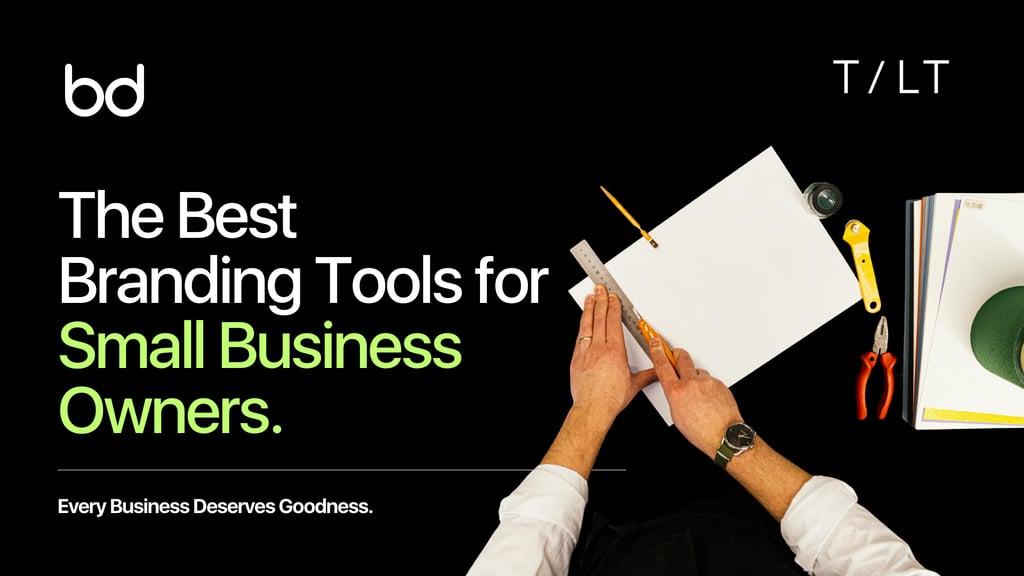
If you're looking for the best tools to build a brand, this guide covers the essentials I use on real projects, from shaping brand strategy to creating visual identities and delivering the final files.
Whether you're building your own brand or working with clients, these tools keep my process creative, collaborative, and efficient.
Let’s be honest: you don’t need dozens of fancy tools to build a strong brand. What you do need is clarity, collaboration, creativity, and a few smart tools to make the process smoother.
Sure, I still use Illustrator, InDesign, and Photoshop daily. But this guide isn’t about Adobe. It’s about the tools beyond that suite the ones that genuinely make branding work simpler and better.
And the best part? Many of them are totally free.
Brand Strategy Tools
Before designing anything, I always start with strategy, understanding the business, what makes it unique, and how it can connect meaningfully with people.
Curiosity, good questions, and deep listening are your most powerful tools. No software can replace that. But a few apps can make the process more structured and collaborative.
1. Video Call Software
You can use any tool that’s stable and easy, Zoom, Google Meet, Whereby, whatever works. I usually go with Google Meet since it’s free for one-on-one sessions and allows screen sharing, which is a must for workshops.
Screen sharing helps me guide conversations in real time as we fill out exercises together.
2. Google Workspace
Collaborative tools like Miro or Figma are excellent, but costs can add up fast, especially when you’re freelancing or running a small studio.
Clients care about results, not which software you use. That’s why Google Workspace has been my go-to for years:
Google Slides: I run most brand strategy sessions here, working inside a templated deck I fill in during the meeting. It keeps the session interactive and lets us capture insights live.
Google Sheets: Ideal for competitive research. I track pricing, messaging, and visuals, all in one place with notes and links.
Google Docs: After workshops, I gather everything, positioning, values, tone, and audience traits, into one editable, shareable document that clients can comment on anytime.
3. Miro
If you’re a visual thinker, Miro is brilliant for mapping out ideas, journeys, or strategy boards. It’s perfect for creative brainstorming.
Personally, I still rely more on Google Workspace for simplicity and cost, but Miro remains a favorite among many designers.
4. DeepL Write
When refining brand strategy documents, wording matters. DeepL Write helps polish phrasing, improve tone, and find better synonyms.
I used Grammarly Pro for a while, but I prefer DeepL because it focuses more on style and tone than grammar rules. I still use Grammarly for basic checks, though.
5. Namecheckr
For brand naming, Namecheckr is great for checking domain and social handle availability in one go. It saves a lot of back-and-forth later.
Remember, you’ll still need to do official business name checks in your country, but Namecheckr is a quick first step.
Identity Design Tools
Once the strategy is locked in, it’s time to bring the brand to life visually.
Designing an identity can get messy; you’ll jump between sketching, Illustrator, Pinterest, and maybe even paper. Tools won’t create the ideas for you, but they’ll support the creative flow.
Colour Tools
Colour plays a huge role in shaping emotion and perception. The right palette builds recognition and sets the tone for your brand.
Here are my favourite tools for building and naming palettes:
Coolors: Fun and easy palette generator. Lock colors, adjust shades, and even check contrast.
Adobe Color: Excellent for creating palettes based on color theory or extracting them from images.
ArtyClick Colour Name Finder: Helps generate multiple names for your hues. A color name like “Midnight Blue” feels more emotional (and memorable) than just “Dark Blue.”
Eva Design System Generator: Creates full color scales from just a few base colors, perfect for consistent UI palettes.
Typography Tools
Typography shapes how your brand feels and how well people recognize it. The goal is to find a typeface that’s readable, unique, and full of character.
Here are some great type resources:
Independent Foundries
Atipo (pay-what-you-want model)
Marketplaces and Collections
Free and Open Source Fonts
Independent Designers
For even more, check out curated lists of top font resources.
TypeScale
TypeScale helps build a clean type hierarchy. Enter your base font size, and it suggests heading and subheading sizes based on ratios like the Golden Ratio. Great for quick setup and client guides.
Stock Photography
Strong images bring emotion and realism to your brand.
Here are great photo resources by budget:
Free: Kaboompics, Unsplash, Pexels
Mid-range: Bendito, Stocksy, Editorial Stock Images
Premium: Stills, Death to Stock
Icon Resources
Icons add polish and personality to a brand system. Here are a few go-tos:
The Noun Project: Huge collection, but licenses are paid or require attribution.
Google Icons: Free, functional icons. Great for apps and websites.
Lucide: Open-source, consistent, and developer-friendly.
Heroicons: Beautiful minimalist SVG icons, perfect for modern brands.
Client Experience & Delivery Tools
Once the brand is ready, presentation matters. You want clients to see how the identity lives in the real world.
Mockups
Mockups bring your designs to life, whether it’s packaging, websites, or stationery. They’re essential for showing context.
Here are my go-to providers:
Bendito – Warm, stylish mockups with a human touch.
LS Graphics – Clean, modern mockups for Figma and Photoshop.
Moyo Studio – Sophisticated, perfect for beauty and lifestyle brands.
Wannathis – Minimal 3D mockups ideal for quick presentations.
SédShop.Co – Clean, minimalist mockups that let your design shine.
Hazard Mockups – Realistic, variety-packed mockup bundles.
Mockup Cloud – Versatile options for any project.
Art Directed Mockups – Beautiful, editorial-style compositions.
Darkroom – Minimal, high-quality packaging mockups.
Workflow Tools
Staying organized is everything in branding projects.
Notion: My favorite for managing projects, notes, and deliverables in one place. Highly customizable.
Trello: Perfect if you prefer a simpler, card-based setup.
For smaller projects, you might skip project management entirely, but these tools save a ton of time once you scale.
Loom
When writing isn’t enough, Loom is perfect for quick screen recordings to explain ideas or concepts. Clients love having concise visual walkthroughs.
WeTransfer, Google Drive & Dropbox
For file delivery, I use WeTransfer for quick sends and Google Drive or Dropbox for shared access during projects. When the project wraps up, clients can transfer everything to their own storage.
Canva (for Clients)
Clients will use Canva, no matter what. I embrace that by creating branded templates for them, so their visuals stay consistent without needing me for every small task.
Brand Management Systems
If you’re managing larger brands, tools like Frontify, Corebook, or Brandpad help centralize brand guidelines and assets online. Everything, logos, templates, tone of voice, stays in one cloud-based hub.
Bonus Tools
ChatGPT or Gemini
AI tools like ChatGPT or Gemini are great for brainstorming ideas, brand names, messages, and even early positioning drafts. Don’t rely on them for final output, but they’re powerful for getting unstuck creatively.
Final Thoughts
The right tools make branding work smoother, but they won’t create a great brand on their own. That comes from strategy, creativity, and collaboration.
You don’t need every tool on the market, just enough to build your ideal process.
If you’re still figuring out whether to hire a branding agency or a freelance designer, you might enjoy my guide on the pros and cons of each here.
Do you have a favorite branding tool that I didn’t mention? Let me know, I’m always open to discovering new gems.
And one note: a few links here are affiliate links, which means I may earn a small commission if you try or purchase through them, at no extra cost to you. It’s a simple way to support my work and help me keep sharing free guides like this one.
© 2026 BRNDxMORPH Media WWD Private Limited. All rights reserved.
Brand Blinks Global® | BBG is an independent global brand consulting and transformation company.
The trademarks, logos, and service marks displayed on this site are the property of their respective owners.
"Brand Blinks Global® | BBG," "Brand Blinks®," "Made for the Uncommon®," and the "bd®" logo are trademarks or registered trademarks of BRNDXMORPH Media WWD Private Limited.


RESOURCES
INTELLIGENCE
BUSINESS
PARTNER
